Tell the agent what you want
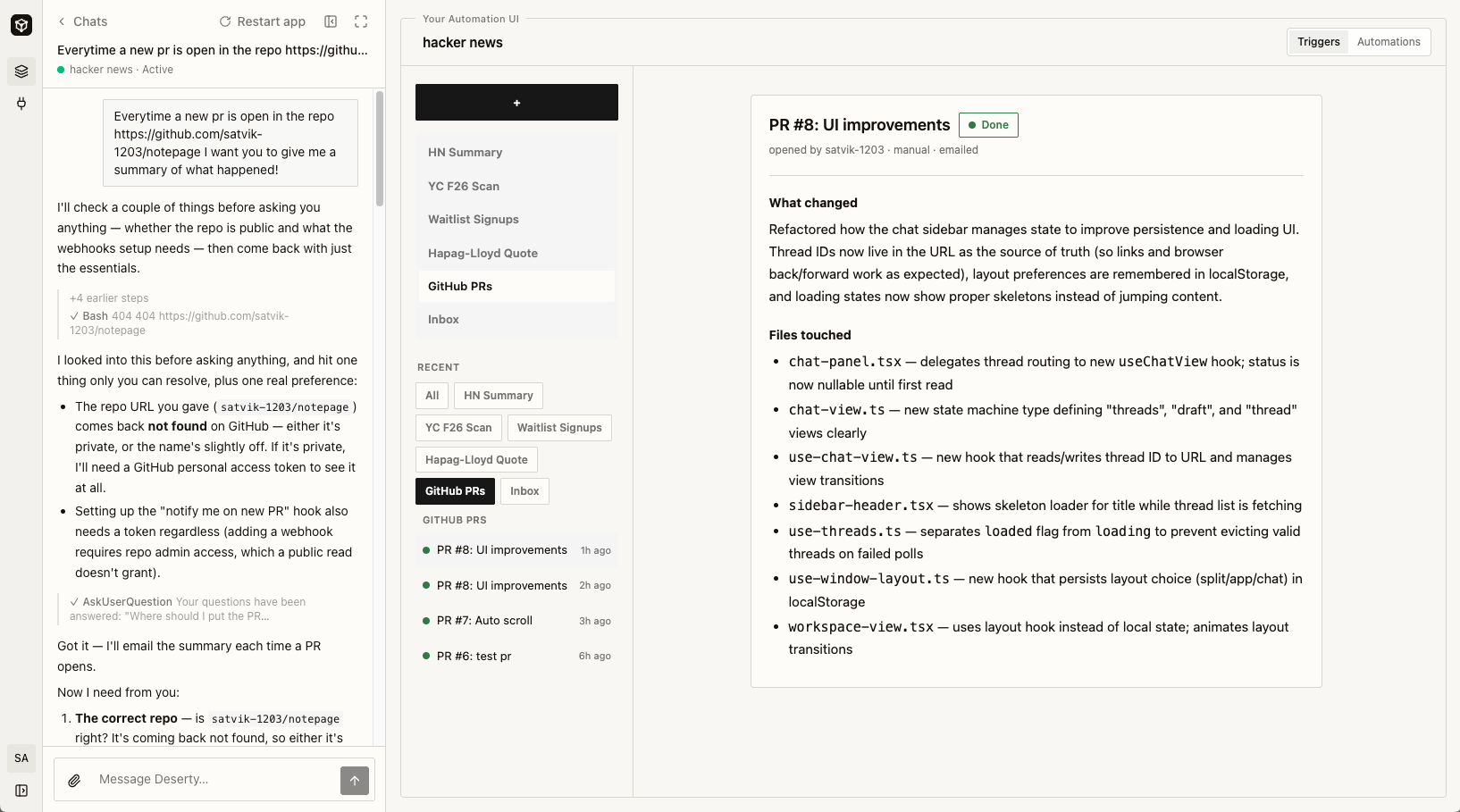
You start in the chat on the left side of a workspace. Describe the job the way you would explain it to a new coworker. What comes in, what to do with it, what comes out, and what counts as a problem. You do not fill in a form. You do not wire boxes together. You just say it, and the agent turns your words into something that runs.The agent runs the job first
This step is what makes the automation hold up later. Before the agent writes anything, it does the job itself. It opens the page. It checks the inbox. It calls the API and reads what comes back. Doing the job once surfaces the surprises. The repo turns out to be private. The export comes back in pages. The field you call “status” holds three different words. The agent hits those problems while it is still just looking around, instead of guessing and breaking on your first real run. So the automation you get matches what really happened, not what anyone assumed.What the agent builds
Every automation mixes two kinds of steps. The agent picks the right kind for each one.- Regular code handles the steps with one right answer. Fetch this page. Keep the rows from today. Format the list. Send the email. This code runs fast and does the same thing every time.
- Agent skills handle the steps that need judgment. Sum up a long thread. Decide if a message is urgent. Read a page that changes shape every week.
How the automation starts
Something has to set the automation off. You get four choices:
One automation can use more than one. The same job can run every night on a
schedule and also run right now when you press the button.
The agent remembers your corrections
Say you fix something. The tone is off. The cutoff should be 10, not 5. The agent handled an edge case the wrong way. The agent does not just patch that one run. It writes what you told it into its memory in that workspace. The next automation it builds already knows. This memory builds up over time, and it stays in the workspace it belongs to. A correction you make in your first week still holds in your sixth month. That is why a workspace you have used for a while gets things right on the first try more often than a brand new one.What a workspace is
A workspace is one cloud machine with two halves. On the left, the chat that builds your automation. On the right, the UI you run it from.